- About
-
Photography
-
Dubai - Photography
Dubai - Photography
- Dubai Photography
- Wedding Photography
- Pre-Wedding Photography
- Couple Photography
- Maternity Photography
- Baby Shower Photography
- Birthday Photography
- Real Estate Photography
- Event Photography
- Family Photography
- Flying Dress Photography
- Corporate Photography
- Corporate Meeting Photography
- Corporate Headshot Photography
- Food Photography
- Product Photography
- Cars Photography
- Airbnb Photography
- Music Photography
- Fashion Photography
- Kids Birthday Photography
- Ecommerce Photography
- Abu Dhabi - Photography Abu Dhabi - Photography
- Sharjah Photography Sharjah Photography
- Ajman Photography Ajman Photography
- Fujairah Photography Fujairah Photography
- Umm Al Quwain Photography Umm Al Quwain Photography
- Ras Al Khaimah Photography
-
Dubai - Photography
Dubai - Photography
- Videography
-
- Portfolio
- Blog
- Contact
Airbnb Photography Tips Every Host Should Know
We’ve all been there, you have a gorgeous place, but in photos, it somehow looks tiny, dim, and just… not right. It’s frustrating, right? The truth is, even the most stunning home needs great photos to do it justice. Bright, inviting shots are what grab someone’s eye while they’re scrolling.
Whether you’re renting out a spare room or a whole villa, the way you show it off makes a lot of difference. Sure, a quick phone snap works instantly, but professional-level photos do something better: they tell a story. They help guests imagine themselves relaxing on your sofa or enjoying a coffee in your kitchen, and that emotional connection is what gets you those bookings.
In this guide, we’ll talk about how to stage your rooms so they look lived-in but tidy, and how to pick the best angles to make your space shine.
Why Great Airbnb Photography Matters More Than Ever
With countless listings competing for attention, your photography is the secret weapon that makes travelers stop scrolling and check out your property’s story. Professional-quality property photos receive more clicks and booking inquiries because travellers make their first impression within seconds of viewing a listing.
High-quality Airbnb photography helps you:
- Create a strong first impression
- Build trust with potential guests
- Showcase your property’s best features
- Increase clicks on your listing
- Encourage more booking inquiries
- Present your property as clean, comfortable, and professionally managed
Prepare Your Property Before Taking Photos
No matter how fancy your camera equipment is, it won’t help to make a cluttered space look appealing. Take a moment to thoughtfully prepare every corner of your property before you start taking photos.
Start With a Deep Clean
Every room should look spotless.
Pay extra attention to:
- Floors
- Windows
- Mirrors
- Kitchen counters
- Bathroom fixtures
- Bedsheets
- Glass surfaces
Dust, fingerprints, and water stains often become more noticeable in photographs than they do in person.
Remove Clutter
Guests want to imagine themselves staying in your property. Too many personal belongings make that difficult.
Remove items like:
- Phone chargers
- Personal photographs
- Cleaning supplies
- Grocery bags
- Laundry baskets
- Loose cables
- Excess decorations
A tidy room instantly feels larger and more welcoming.
Style the Space Naturally
You don’t need expensive furniture to create attractive photos. Small styling touches can make a big difference.
Try adding:
- Fresh flowers
- Decorative cushions
- Folded towels
- A neatly made bed
- A simple fruit bowl
- A clean dining table setting
- Soft blankets on the sofa
The goal is to create a space that feels warm, lived-in, and ready for guests.
Add Lifestyle Details
Instead of showing an empty room, add subtle elements that help guests picture their stay.
For example:
- A coffee mug beside a window
- An open book on a chair
- A breakfast tray on the dining table
- A laptop on the workspace
- Fresh towels beside the pool
These small touches create an emotional connection without making the scene feel staged.
Read More – Common Airbnb Photography Mistakes Hosts Make
Use Natural Light Whenever Possible
Lighting is one of the biggest factors in great Airbnb photography. Natural daylight makes rooms appear brighter, cleaner, and more spacious.
Before you start photographing:
- Open all curtains and blinds.
- Turn on interior lights if they complement the daylight.
- Remove anything blocking windows.
- Clean the glass to let in as much light as possible.
Choose the Right Time of Day
The best time depends on how sunlight enters your property.
Morning light often works beautifully for bedrooms and kitchens, while late afternoon provides softer, warmer light for living rooms and outdoor spaces. Avoid taking photos when harsh midday sunlight creates strong shadows or overly bright highlights.
If your property has beautiful outdoor areas, consider photographing them during the golden hour. The warm, soft light creates a welcoming atmosphere that guests love.
Choose the Right Camera Angles
The way you position your camera can completely change how a room looks. Professional Airbnb photographers carefully choose angles that show the layout, space, and flow of each room.
Shoot From Chest Height
Photographing from around chest height usually provides the most natural perspective. Images taken too high or too low can distort furniture and make rooms appear awkward.
Capture the Corners
Instead of photographing one wall straight on, position yourself in a corner.
This helps show:
- Room size
- Furniture arrangement
- Windows
- Floor space
- Overall layout
Guests get a much better understanding of how the room feels.
Keep Vertical Lines Straight
Professional photographers carefully align the camera to keep walls and furniture straight, creating clean and polished images.
Avoid Extreme Wide-Angle Distortion
A wide-angle lens helps fit more of the room into the frame, but using an extremely wide lens can make spaces look unrealistically large. Accurate visuals build trust. Guests appreciate photos that reflect the property’s true size rather than exaggerated views.
Photograph Every Important Space Guests Want to See
Guests want a complete picture of the property before booking. Missing rooms can raise questions and create uncertainty.
Include high-quality photos of every important space, including:
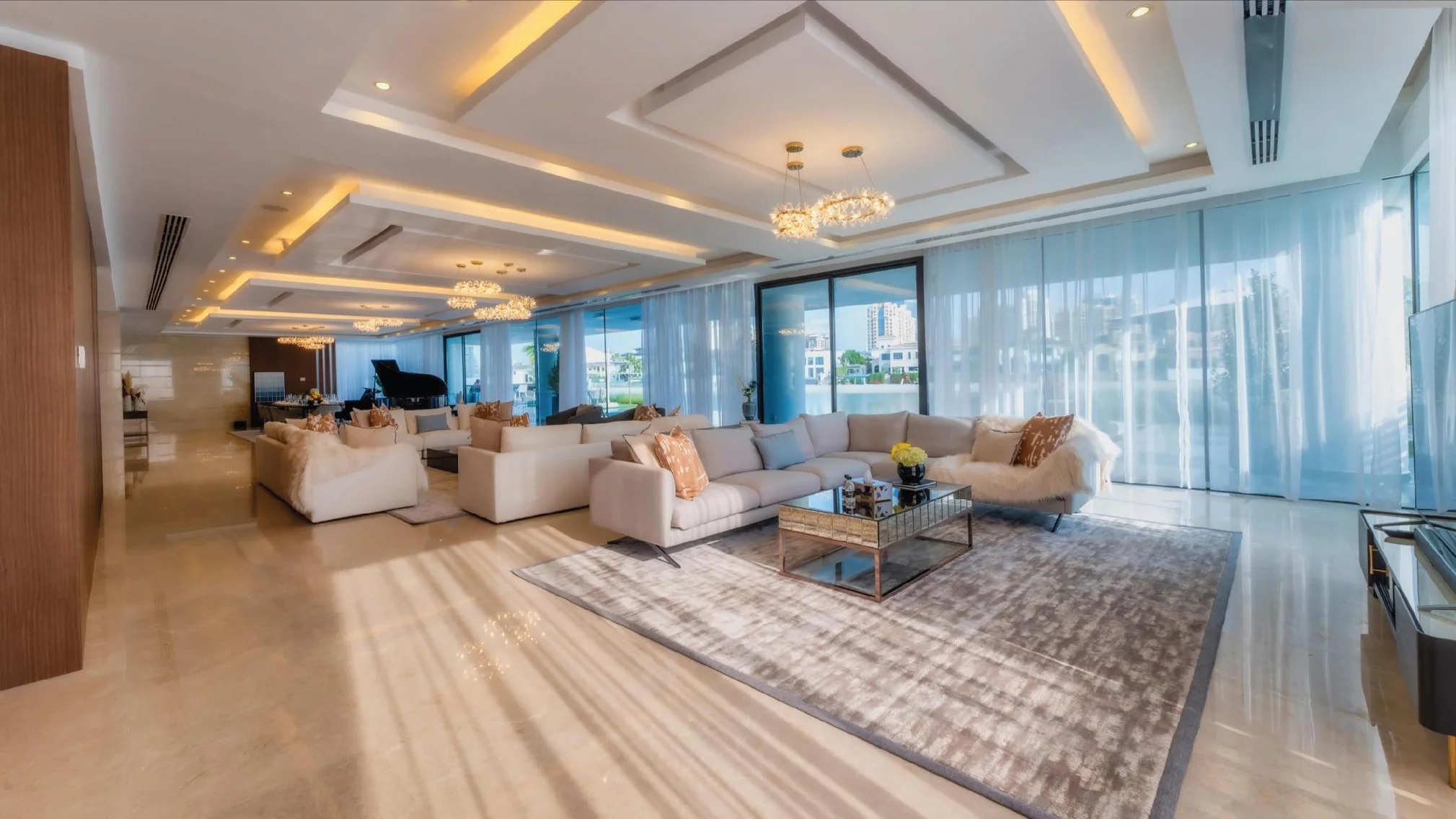
Living Room
Show the seating arrangement, natural light, entertainment area, and overall comfort.
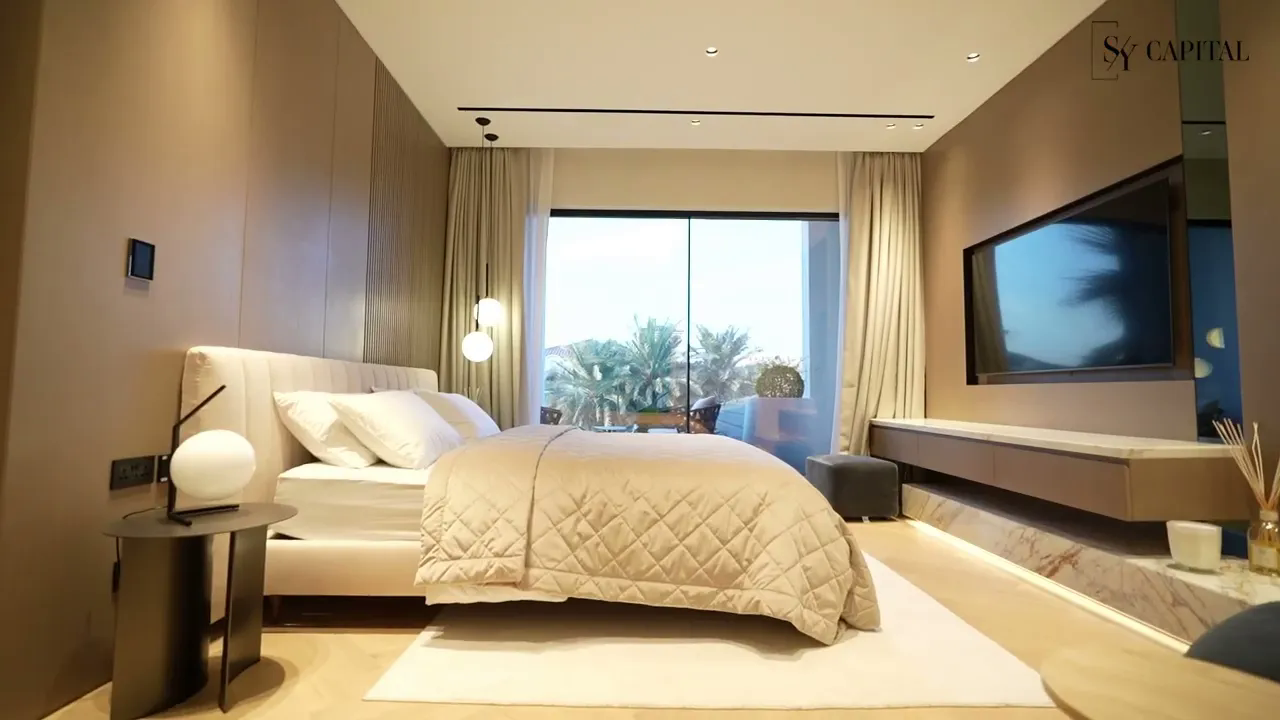
Bedroom
Capture:
- Entire bed
- Side tables
- Wardrobes
- Windows
- Decorative details
Guests often spend the most time evaluating bedroom photos because comfort is a top priority.
Kitchen
Highlight:
- Appliances
- Countertops
- Dining space
- Coffee station
- Storage
A clean, organized kitchen appeals to families and long-term guests.
Bathroom
Bathrooms should look bright, spotless, and fresh. Remove personal toiletries and close the toilet lid before taking photos. Fresh white towels instantly improve the overall appearance.
Dining Area
Whether it’s a breakfast counter or a formal dining table, show where guests can enjoy meals together.
Balcony or Terrace
Outdoor spaces often become key selling points.
Capture:
- Views
- Seating
- Plants
- Dining setups
- Morning or evening lighting
Garden
If your property has outdoor greenery, showcase it. Beautiful landscaping enhances the guest experience.
Swimming Pool
Pools are among the most-searched amenities in vacation rental listings.
Photograph them when:
- Water is clean
- Pool area is tidy
- Sunlight creates attractive reflections
Home Office
Many guests now work remotely. A dedicated workspace with good lighting can make your property more attractive to business travelers and digital nomads.
Parking Area
If private parking is available, include it. Guests driving to your property appreciate knowing exactly where they’ll park.
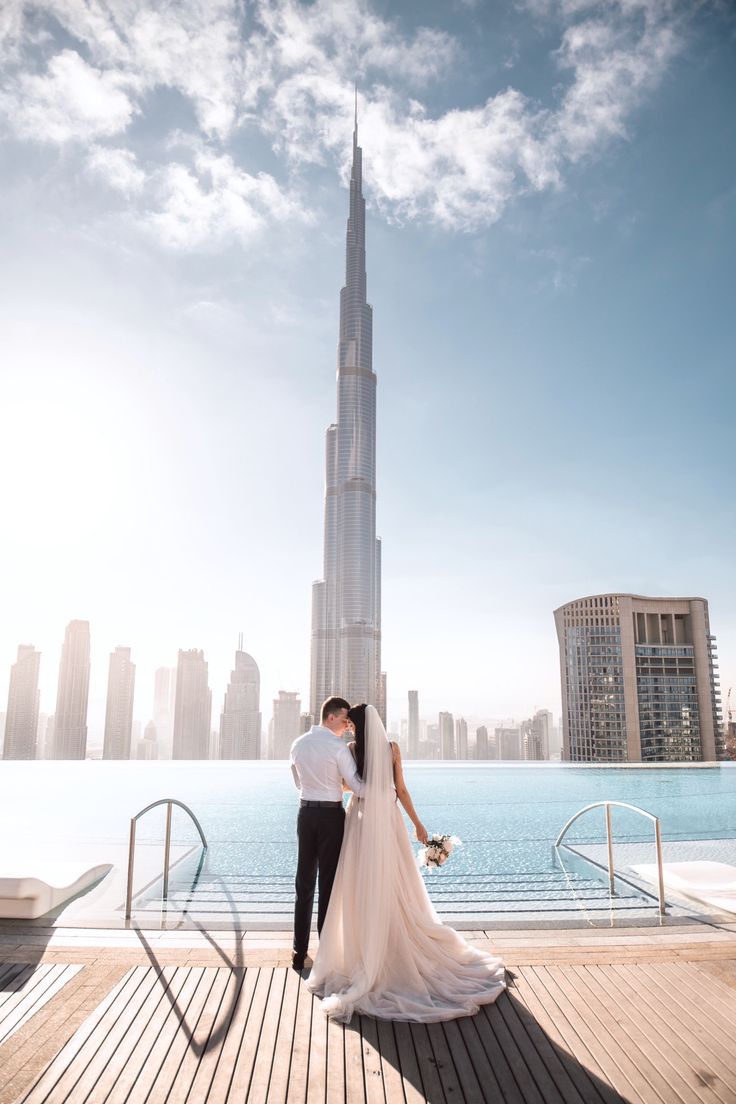
Property Views
Whether your Airbnb overlooks the beach, mountains, city skyline, or peaceful countryside, don’t forget to capture the view.
Read More – Video Marketing Tip for Real Estate Developers in Dubai
Highlight Features That Make Your Airbnb Unique
Every property has something special; your photos should make it stand out. Think about what makes guests pick your place over others.
It could be:
- Rooftop lounge
- Private pool or Jacuzzi
- Great views (beach or mountains)
- Fireplace or cozy living space
- Smart home features
- Pet-friendly setup
- Outdoor BBQ or dining area
- Stylish coffee or breakfast corner
Most guests decide to click based on the unique features they can see at a glance.
Common Airbnb Photography Mistakes to Avoid
Avoiding a few common photography mistakes helps your photos look more professional and makes a stronger first impression.
- Dark or Underexposed Photos
Dark rooms feel small and uninviting. Use natural light where possible and make sure rooms look bright and clear.
- Over-Editing Images
Editing should enhance, not mislead. Avoid overly saturated colours or unrealistic edits that don’t match the real space.
- Crooked or Distorted Images
Tilted walls or extreme wide-angle shots can look unprofessional or misleading. Keep photos straight and natural.
- Too Many Similar Photos
Don’t upload multiple near-identical shots of the same room. Instead, show a good mix of spaces and angles to keep things interesting.
- Forgetting Exterior Photos
Many hosts focus only on interiors, but exterior shots matter too. Include the entrance, garden, balcony, parking, pool, and building exterior so guests know what to expect.
Professional Editing Makes a Big Difference
Professional editing is an essential part of creating polished Airbnb listing photos. A skilled editor carefully improves each image by:
- Adjusting brightness and contrast
- Correcting white balance
- Enhancing natural colours
- Straightening vertical lines
- Correcting lens distortion
- Balancing indoor and outdoor lighting
- Removing minor distractions where appropriate
Editing ensures your property looks clean, bright, and inviting while accurately reflecting what guests will experience during their stay.
Keep Your Airbnb Photos Updated
Your Airbnb listing shouldn’t use the same photos for years. Whenever you improve your property, update your images too.
Consider scheduling a new photo session after:
- Renovating rooms
- Buying new furniture
- Redesigning interiors
- Adding a swimming pool or outdoor seating
- Landscaping the garden
- Creating a home office
- Decorating for different seasons
Fresh images show guests that your property is well maintained and actively cared for.
Read More – What Airbnb Hosts Should Know Before a Photoshoot
Airbnb Photography Checklist Before You Publish Your Listing
Before uploading your photos, use this simple checklist to make sure your listing is ready.
- Property thoroughly cleaned
- Clutter removed
- Beds neatly made
- Curtains and blinds opened
- Indoor lights switched on where needed
- Every room photographed
- Outdoor spaces included
- Amenities clearly shown
- Balcony, garden, or pool photographed
- Entrance and parking captured
- High-resolution images used
- Photos edited naturally
- Colours look realistic
- Images accurately represent the property
- Photos arranged in a logical order
Following this checklist helps create a professional listing that gives guests confidence when booking.
Final Thoughts
Your Airbnb photos are your property’s first opportunity to make a lasting impression.
Bright, well-composed, and authentic images help guests imagine their stay, build trust in your listing, and encourage guests to choose your property over countless others.
While simple improvements like decluttering, using natural light, and choosing better angles can make a noticeable difference, professional photography takes your listing to the next level. It highlights your property’s best features, tells a compelling visual story, and creates a polished presentation that reflects the quality of the guest experience.
If you want your Airbnb listing to stand out in a crowded marketplace, investing in professional photography is a decision that can continue delivering value long after the photoshoot is complete.
Frequently Asked Questions
How many photos should an Airbnb listing have?
Around 20–30 good photos is ideal. Show every key room and feature.
What is the best time of day to photograph an Airbnb?
Morning or late afternoon works best for soft, natural light.
Can I use my phone for Airbnb photography?
Yes, but professional cameras usually give sharper, more appealing results.
Should Airbnb photos be edited?
Yes, lightly. Just improve brightness, colour, and clarity—keep it realistic.
Which rooms should always be photographed?
All main spaces: bedrooms, living room, kitchen, bathrooms, plus outdoor areas.
How often should I update my Airbnb listing photos?
Whenever you make changes or upgrades to the property.
Does professional photography increase Airbnb bookings?
It can help attract more attention and improve your listing’s overall appeal.